Taggert v1.2

If you don’t know what Taggert is, please see this post and the introduction on my personal blog (opens in a new window).

V1.2 was released on 5 November, but I only just now got around to building a package and uploading it to debian.dev-zero.nl. The changelog for v1.2 is:

  • Make application appear more responsive during time-consuming operations
  • Track line width on the map is now configurable
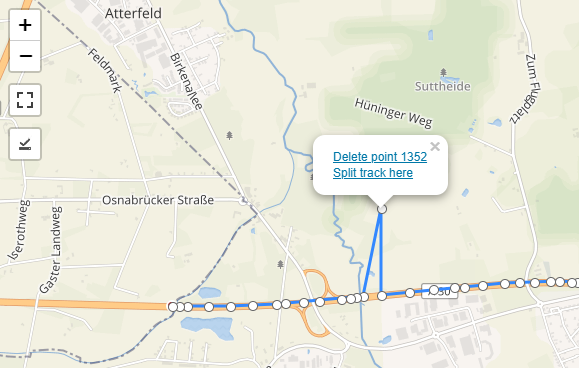
  • Add image markers on the map for tagged images and add an option to hide them
  • Color and size of image markers are configurable
  • Use GObject property bind functionality to automatically save settings
  • Add inline documentation to the code
  • Move general purpose functions outside the main app module
  • Make image markers 50% opaque
  • Many general code improvements and optimizations
  • Let Exiv2 decide on the supported file formats, instead of just reading JPG
  • Implement “select all from this camera” for images
  • Add camera ID column to images list, hidden by default
  • Show the current image directory in the statusbar

Taggert v1.2 is now available (arch-independent binary + source) in wheezy-custom. Please give it a try :-)


Taggert v1.1

Chances are, you have never heard of ‘Taggert’. Taggert is a Python/GTK+ 3 geo-tagging application. An introduction to the application is on my personal blog.

Yesterday, I released version 1.1, with some new features and lots of general improvements and bugfixes. The changelog for v1.1 is:

  • Restructure directory layout and add Python distutils and Debian packaging
  • Add an icon and a .desktop file
  • Disable Google map sources by default
  • Feature: copy/paste coordinates with CTRL-C/CTRL-V
  • Add two mapsources: Mapbox Streets and (just for fun) Stamen Watercolor
  • Handle elevation/altitude in geo-tags
  • Screen redrawing during time-consuming operations, to make it look snappier
  • Marker size is now configurable
  • Bookmarks are now properly sorted by name
  • Add many menu-accelerators (keyboard shortcuts)
  • Make functions from some action buttons available under view menu too

Taggert v1.1 is now available (i386 + source only at the moment) in wheezy-custom.

Gexiv2 0.5.0 with GObject Introspection support

Gexiv2 is a GObject-based wrapper around the Exiv2 library. It makes the basic features of Exiv2 available to GNOME applications.

At the time of writing, the current version in Debian unstable/testing is 0.4.1. On 1 October 2012, upstream version 0.5.0 was released, with support for GObject Introspection and shipped with a Python module, to allow gexiv2 to be used from Python.

This is important, because the existing Python bindings for Exiv2 (pyexiv2) will not (or cannot) be ported to Python 3. Gexiv2 0.5.0 fills this gap.

Debian.dev-zero.nl now hosts Gexiv2 packages with GObject Introspection support, but only for Wheezy. The source package is also available. The binary package named ‘gir1.2-gexiv2-0.4′ is new, and contains all the magic.

To use it, do something like this:

#!/usr/bin/python
from gi.repository import GExiv2
from pprint import pprint

metadata = GExiv2.Metadata('/path/to/image')
pprint (metadata.get_tags())
pprint (metadata.get_gps_info())
# and so on...

In the mean time, I have filed a wishlist bug report with Debian to ask version 0.5.0 to be included in Debian.

Update, 8 January 2013

I didn’t check in a while, but is seems that GExiv2 0.5.0 with GI support entered experimental on November 28th, 2012.

MixRamp and ReplayGain

I have a small mp3 collection, and whenever I throw a party, I use MPD to play songs from it, so I don’t have to care about the music during the party.

MPD has always fulfilled my needs in mp3-playback, except for one detail: a good mix from one song into the next, or at least some sort of ”gapless playback”, that goes beyond the classical definition (the kind that is good for live concerts or classical music), and is a little more intelligent than simple time-based crossfading, because that sounds horrible most of the time.

A while ago, I decided to take a crack at building my own player (mostly as a programming exercise), and I played around with Gstreamer and its Python bindings for a while, using a pluging called ”level” to detect when the volume level of a song drops below a certain threshold near the end, and use that to start playback of the next song at the right time. The results were promising, not to say quite satisfactory, but my initial goal to create a drop-in replacement for MPD, or at least keep protocol compatibility to a large extent, seems a little too far-fetched right now.

Little did I know. Last Saturday, I discovered something called ‘MixRamp’, invented by Tim Phipps, already back in 2009, which has the exact same goal as my MPD rip-off, and implements it in a way similar to mine, only slightly better. Where my implementation was real-time (meaning audio level analysis is done during playback) and only considered the end of a song to set the mix-point, MixRamp considers both the start and the end of a song to create a better mix, and it is tag-based, so the audio analysis has to be done only once. And the best part: MPD has built-in support for MixRamp since version 0.16. The only thing I like better about my own solution is the fact, that in my case, the mixing is left to the audio output channel (I like PulseAudio, but it could be ALSA, or anything that Gstreamer supports), where with MPD + MixRamp, MPD does the mixing itself.

It would seem that the MixRamp approach is easily portable, although MPD seems to be the only player supporting it so far. If you know of any others, please let me know.


Adding MixRamp tags

So, what do you need?

  • MPD, version 0.16 or newer (if you’re on Wheezy or newer, just ”apt-get install mpd”)
  • MixRamp, latest version
  • eyeD3 (apt-get install eyed3); used by the mixramp-tag wrapper script that comes with MixRamp
  • mpg123 (apt-get install mpg123); also used by mixramp-tag
  • (optional) a script called ‘ramptag‘, to make tagging even easier
  • (optional) mid3v2 (apt-get install python-mutagen); ramptag uses it to read ID3 tags and find out if a file is already tagged

MixRamp is not in Debian, so you will have to compile it yourself. You need libaudiofile-dev installed to make that work. Normally it would suffice to type ‘make’ in the unpacked archive directory, but on Wheezy (GCC 4.6), some (presumably harmless) compiler warnings turned up, and I had to edit the Makefile and remove -Werror (“treat all warnings as errors”) from CFLAGS.

For the rest of this post, I assume you have mixramp, mixramp-tag and ramptag installed, somewhere in your PATH (p.e. /usr/local/bin). Tagging is now as easy as:

cd /path/to/mp3/collection && ramptag *

The result will be, that the mp3-files will have some TXXX tags, that look something like this:

TXXX=mixramp_end=-31.22 0.26;-15.93 3.96;-14.23 4.06;-7.86 4.16;-2.62 4.26;
TXXX=mixramp_start=1.83 0.00;3.72 0.10;6.06 2.30;
TXXX=mixramp_ref=89.00

The sequences of numbers can be quite a bit longer than this, though.


Making MPD use the MixRamp tags

Like I said, MPD has had built-in support for MixRamp tags since version 0.16, so using them is a matter of tuning some MPD settings:

mpc crossfade 1
mpc mixrampdelay 0
mpc mixrampdb -5

It seems necessary to enable crossfading to make MPD use MixRamp. Traditional crossfading will be done as a fallback when MixRamp tags are not available, so I tend to keep the crossfade setting as low as possible. As for mixrampdelay and mixrampdb, you’d have to play a little with those to find the result that you like. The settings above are quite agressive: the next song is started pretty quickly, and the overlap is relatively big. You might want to set mixrampdb to a lower number. It is the threshold in dB, where MPD places the mix-point, so the lower the number, the longer MPD will wait to start the mix.

A note: at some point, I noticed the following in MPD’s logfile:

crossfade: audio_buffer_size too small for computed MixRamp overlap

I ended up with the following setting in /etc/mpd.conf (I left the default commented):

#audio_buffer_size              "2048"
audio_buffer_size               "8192"


Adding ReplayGain to the mix

Even though I have been using mp3′s for ages, I have never taken a serious look at ReplayGain. In combination with MixRamp, it seems to be the icing on the cake for a good party-player.

ReplayGain is also tag-based. Adding tags can be done with mp3gain, which is available in Debian (and has been since 2004). So, apt-get install mp3gain.

ReplayGain has two modes of operation: “Track gain” and “Album gain”. For simplicity, we use only “Track gain” here. A few notes on the use of mp3gain:

  • mp3gain writes APE tags by default. Specify -s i to use ID3v2 tags. MPD only looks at the ID3 tags.
  • when you specify multiple input files, mp3gain assumes it’s an album, unless -e is given.

To avoid confusion, I’ll only feed mp3gain one file at a time. That gives me the following command, to be run in a directory that contains mp3 files:

for f in *.mp3; do mp3gain -e -r -k -s i $f; done

You can run mp3gain -h to see what all the options mean.

Happy DJ’ing!!

Zsh ZLE tip

In my home directory, I have several subdirectories that contain my software projects, for example:

/home/me
        /src
             /wp-plugin-x
             /project-y
        /config
               /puppet
               /nagios
               /package-z

Some of these trees can get quite deep, and sometimes, when I’m working in one of the directories deep in the tree, I need to access a file somewhere else in the tree. Now, you can do that via ../../../path/to/file, or ~/src/project/path/to/file, but neither are very efficient. I wanted a way to efficiently refer to the root of the current project.

Finding the root is easy. In my case, $(pwd) | cut -d / -f 1-5 gives me what I need. Now I use some Zsh trickery to efficiently use that in commands. I want ‘~~‘ to expand to this directory. Enter the following code in my .zshrc:

my-expand-tilde() {
  local MATCH
  if [[ $LBUFFER = *~ ]]; then
    p=$(pwd | cut -d / -f 1-5)
    LBUFFER=${LBUFFER%~}
    LBUFFER+="${p}/"
  else
    LBUFFER+=~
  fi
}

zle -N my-expand-tilde
bindkey "~" my-expand-tilde

Every time you press ‘~’, the widget ‘my-expand-tilde’ is run. If this is the second ‘~’ in a row, it will strip of the previous ‘~’ and add the root of the current project to the command I am typing. So effectively, whenever I type ‘~~’, it is immediately substituted by the directory that I need.

Ideas for this code where borrowed from ZSH-LOVERS(1), look in that page for a widget named ‘rationalise-dot‘.

Policykit adventures

After installing Debian on a laptop this week, once again, I ran into the “problem” of not being able to shutdown or reboot the computer, when another user is logged in, for example via SSH. If you’re a Linux user, maybe you have seen it:

System policy prevents restarting the system
when other users are logged in

The cause of this behaviour is something called policykit, and a policy defined in /usr/share/polkit-1/actions/org.freedesktop.consolekit.policy. I found several pages on the web, that suggested to modify this file to change the policy. However, as this file is shipped by a package, and living below /usr/share, it is not intended to be modified by users to override the policies it contains.

The correct way to fix the problem is in something called PolicyKit Local Authority, or pklocalauthority. To enable all users to shutdown or reboot the computer, even when other users are logged in, create a file named /etc/polkit-1/localauthority/50-local.d/usershutdown.pkla (the name must end in .pkla) and put the following in it:

[Allow Shutdown]
Identity=unix-user:*
Action=org.freedesktop.consolekit.system.stop-multiple-users
ResultAny=yes
ResultInactive=yes
ResultActive=yes

[Allow Restart]
Identity=unix-user:*
Action=org.freedesktop.consolekit.system.restart-multiple-users
ResultAny=yes
ResultInactive=yes
ResultActive=yes

You may have to reboot the computer (or at least log out and back in) for the policy override to take effect.

Maemo 5 Fremantle

As of now, debian.dev-zero.nl also carries a repository for Maemo 5 Fremantle. Maemo is the Debian-based operating system created by Nokia, running on N810 internet tablets and N900 phones. Development of Maemo at Nokia has come somewhat to a halt, since first MeeGo was announced, and later Nokia announced the strategic partnership with Microsoft to switch to Windows Phone 7 devices.

Since I own a N900, and every now and then, I need a package that is not available from Nokia’s, or other community-driven repositories, I decided to host the packages that I build myself on this website. To get the packages, add this to your sources.list:

deb http://debian.dev-zero.nl/debian/ fremantle main

At this time, two packages are available here:

  • libncursesw5, copied from repository.maemo.org, because it is only in the SDK repository and it is a dependency of Zsh
  • zsh 4.3.12, ported from Debian unstable, built using the Maemo SDK

If any more packages are added in the future, I will write about it on this blog.

Update 5 Sep 2011:

The package ‘libncursesw5′ was removed from the repository, because it is available in downloads.maemo.nokia.com, one of the repositories that is configured on a Maemo 5 device by default.

Incron: easy use of the inotify system

This is just a short post, to point out the convenience of a tool named ‘incron‘. Incron is described as an ‘inotify cron‘ system. It behaves much like traditional cron, but instead of time periods, filesystem events are used to trigger certain actions.

In my daily work, quite often I come across situations, where I have to post-process files, that are uploaded to a certain place. For example, a third party regularly uploads video files to one of our servers, and when they do, I have to make sure they are transcoded to a different audio and video format. Enter ‘incron’. It allows you, in a crontab kind of way to define commands, that have to be executed when certain files or directories change.

I have an incron-tab entry, that looks like this:

/home/vod/videofiles IN_MOVED_TO /usr/local/bin/process_upload $#

/home/vod/videofiles is a directory, and when a file is moved into that directory (which is done by the uploading party, through the FTP server) and subsequently the inotify event ‘IN_MOVED_TO‘ is triggered, the process_upload script is fired, with the name of the file (specified as ‘$#‘) as its first argument. Couldn’t be simpler.

Take a look at incron’s web page for more use cases, examples and documentation.

Recording audio in Ubuntu

Today, I was looking for a way -on my Ubuntu Lucid workstation- to record audio, but not from a specific source, but let’s say the audio from ‘the system’. In particular, I wanted to record the audio output of a Windows application running under Wine.

After some googling, I found this blog posting, that explains how to record audio from the ‘monitor’ source of a Pulseaudio device. Just what I needed! So I wrote the script below. It uses Gstreamer for the recording, but some ideas for other tools are included as well.

#!/bin/zsh
# A script to record audio from a pulseaudio monitor device
# Needed packages:
# - pulseaudio-utils (for pactl and -if wanted- parec)
# - gstreamer0.10-tools (for gst-launch-0.10)
# - gstreamer0.10-plugins-ugly-multiverse (for lame mp3 encoder)
# - gstreamer0.10-plugins-good (for wavenc)
# - lame (for lame, if wanted)
#
# Ideas from
# http://www.outflux.net/blog/archives/2009/04/19/recording-from-pulseaudio/

FORMAT=mp3
OUT=$1
d=

while getopts wa i
do
 case "$i"
 in
  w)
   FORMAT=wav
   ;;
  a)
   d=`date +%Y%m%d%H%M%S`
   ;;
 esac
done

shift "$(($OPTIND - 1))"

if [ "$d" != "" ]
then
 OUT="/tmp/$d.$FORMAT"
fi

if [ "$OUT" = "" ]
then
 echo "Usage: `basename $0` [-w] <filename>" >&2
 echo "       `basename $0` -a" >&2
 echo "Options:" >&2
 echo " -w               use wav encoding instead of mp3" >&2
 echo " -a               auto-filename, /tmp/<timestamp>.(mp3|wav)" >&2
 exit 1
fi

monitor=$(pactl list | grep -m 1 'Monitor Source' | awk '{print $3}')
if [ "$monitor" = "" ]
then
 echo "Error: no monitor device found" >&2
 exit 1
fi

echo "Using monitor: $monitor"
echo "Recording to : $OUT"
echo "File format  : $FORMAT"

encoder="lame vbr=4 vbr-quality=2"
if [ "$FORMAT" = "wav" ]
then
 encoder="wavenc"
fi

# Some ideas for use of other tools instead of Gstreamer:
#   parec -d "$monitor" | sox -t raw -r 44100 -sLb 16 -c 2 - $OUT.wav
#   parec -d "$monitor" | sox -t raw -r 44100 -sLb 16 -c 2 - $OUT.wav silence 1 0.50 0.1% 1 2.0 0.1% : newfile : restart
#   parec -d "$monitor" | lame -rh - $OUT

gst-launch-0.10 pulsesrc device=$monitor ! queue ! 
  audio/x-raw-int,rate=44100,channels=2 ! audioconvert ! 
  $encoder ! filesink location=$OUT

I hope it will be of use to anyone.

Distributed Checksum Clearinghouse

Distributed Checksum Clearinghouse, a.k.a. DCC is an anti-spam content filter, that works by comparing checksums of received mail, to recognize (and possibly block) unsollicited bulk e-mail. At DevZero.nl, over 50% of the SPAM we receive, is found with DCC, and there are very few false positives. DCC has been around for more than 10 years, but unfortunately, its license does not comply with the DFSG and it was removed from Debian in 2008.

Debian.dev-zero.nl has carried a Debian package for DCC since it was founded, but it hasn’t been updated in quite a while. The version that was in the archive (1.3.102) dated from February 2009. The latest version, that was released on November 9, 2010 is 1.3.134, and this version was packaged and uploaded to lenny-custom today.

As usual, both i386 and amd64 packages are available. A small warning: the packages have not beenĀ  tested extensively, but I run them in production, so any problems that arise, I will fix.